

If you would like to stop being a client of the Arsys service and you cannot find a way to unsubscribe from the hosting service or any contracted product, below we will explain in simple steps how request the removal of an Arsys domain.
Steps to unsubscribe Arsys hosting
To unsubscribe from an Arsys domain and all associated products, you have to send a request from your Client Area. To make this request low in Arsys hosting follow the next steps:
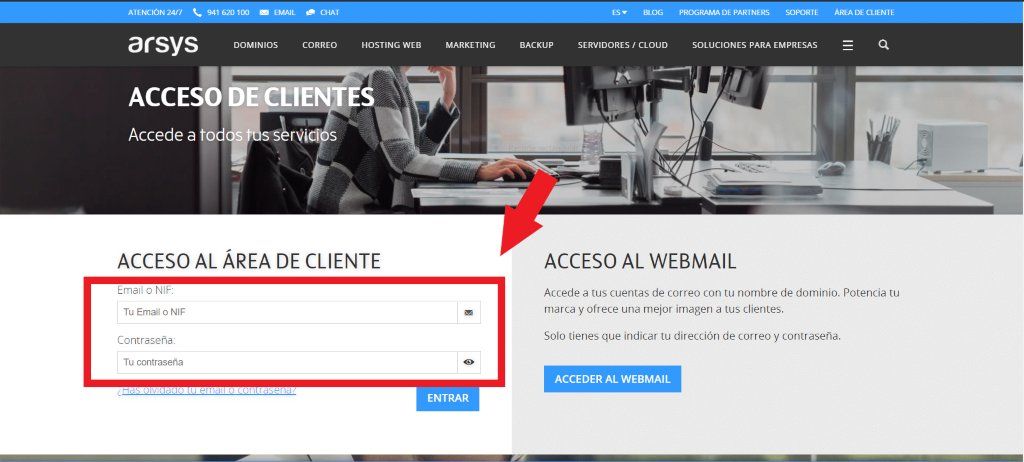
1.We look for the Arsys website in Google Chrome or the search engine that we have.
2.We access the “Client area” section (top right)

3.We access with our data.
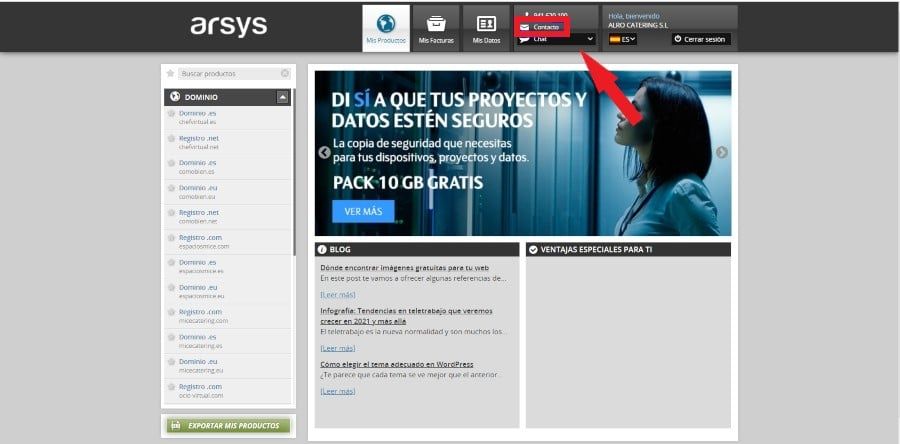
4.We enter the Arsys panel and click on the contact section (upper part)
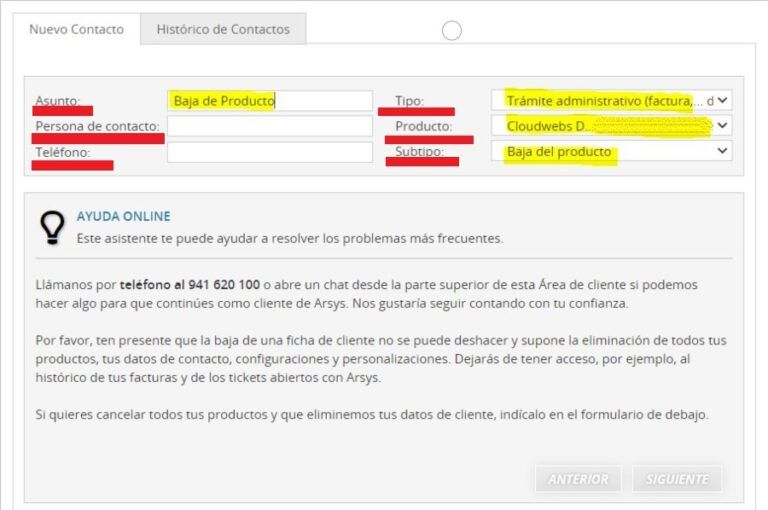
5.Now we fill in all the fields:
-
- Subject (Product Cancellation) in the case of wanting cancel an Arsys product or service.
- Contact person (the one indicated)
- Telephone (the one indicated).
- Type(Administrative procedure (invoice,… documentation)).
- Product (Product that you want to cancel, example: Basic.serv12345… )(Product code to unsubscribe)
- Subtype (Deregistration of the product)
6.In the Information section of your message we indicate the following:
-
- Cancellation date: dd/mm/yyyy (The corresponding one).
- I accept the deletion of product data.
As indicated in the following image:

If you have any questions, or need more information, visit the Arsys official support page.